로딩 중 ...
로그인
/
가입
KR
Tiếng Việt
English
한국어
회사 소개
Livescore
문의하기
자주 묻는 질문
로그인
가입
팔로우 해주세요:
지금 앱을 다운로드하세요!
홈
자주 묻는 질문
Golf GPS
Remove player when playing with GPS
Thu, 27 Feb 2025 11:21:08 +0700
After adding friends and starting a GPS round, a player may want to remove someone from the group.
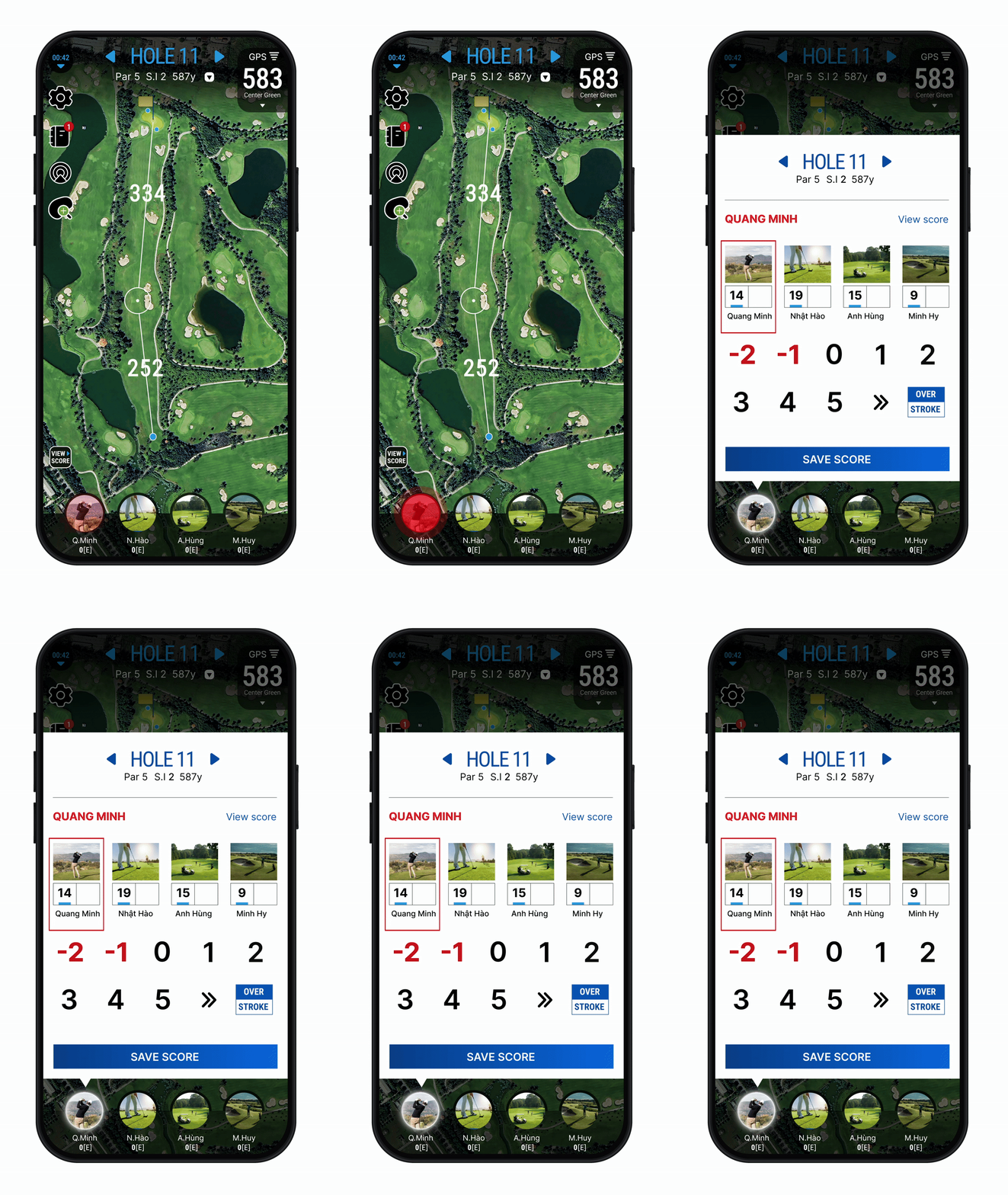
Tap the avatar.
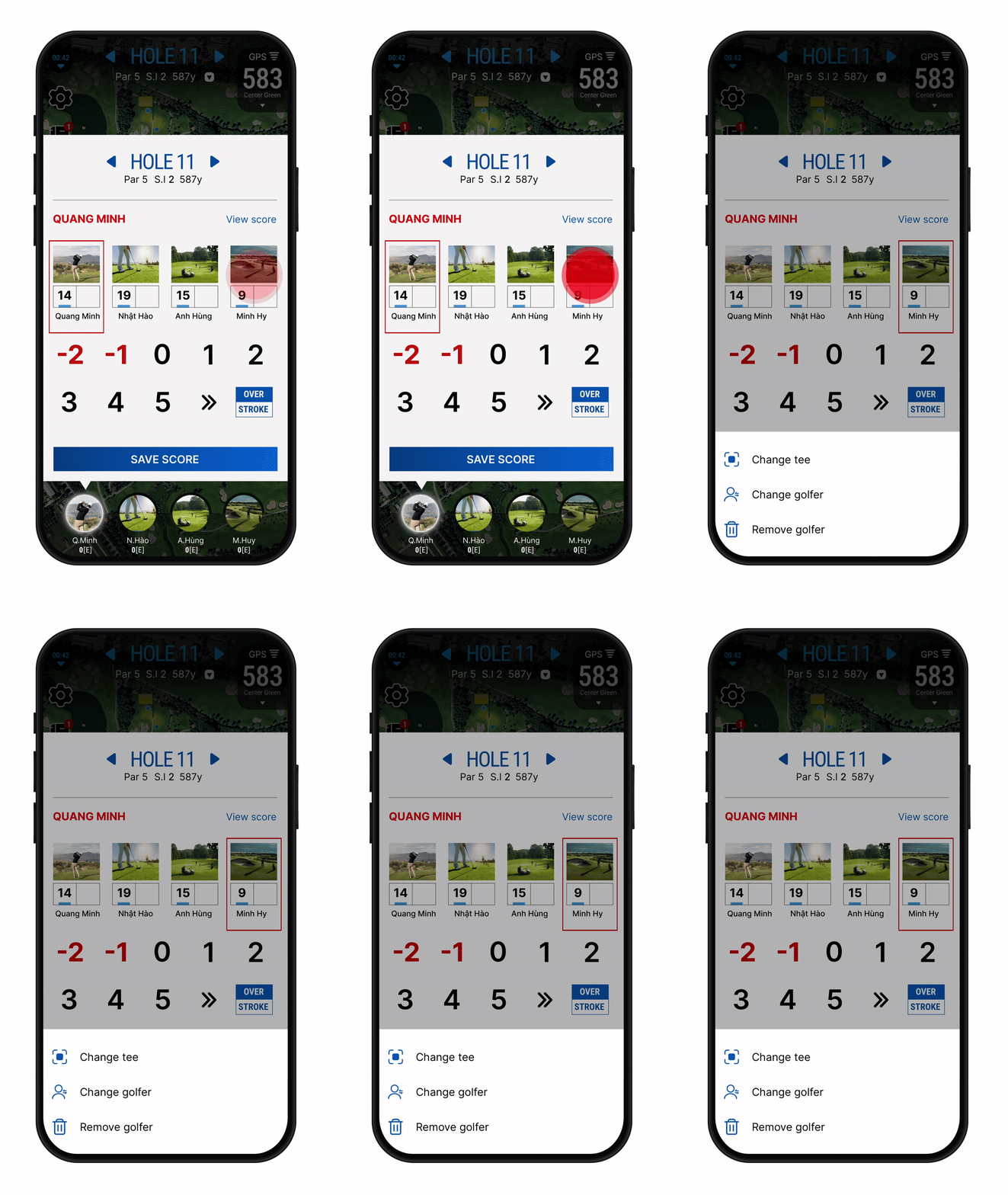
Tap and hold the avatar of the player you want to remove, then select “
Remove Golfer
”.
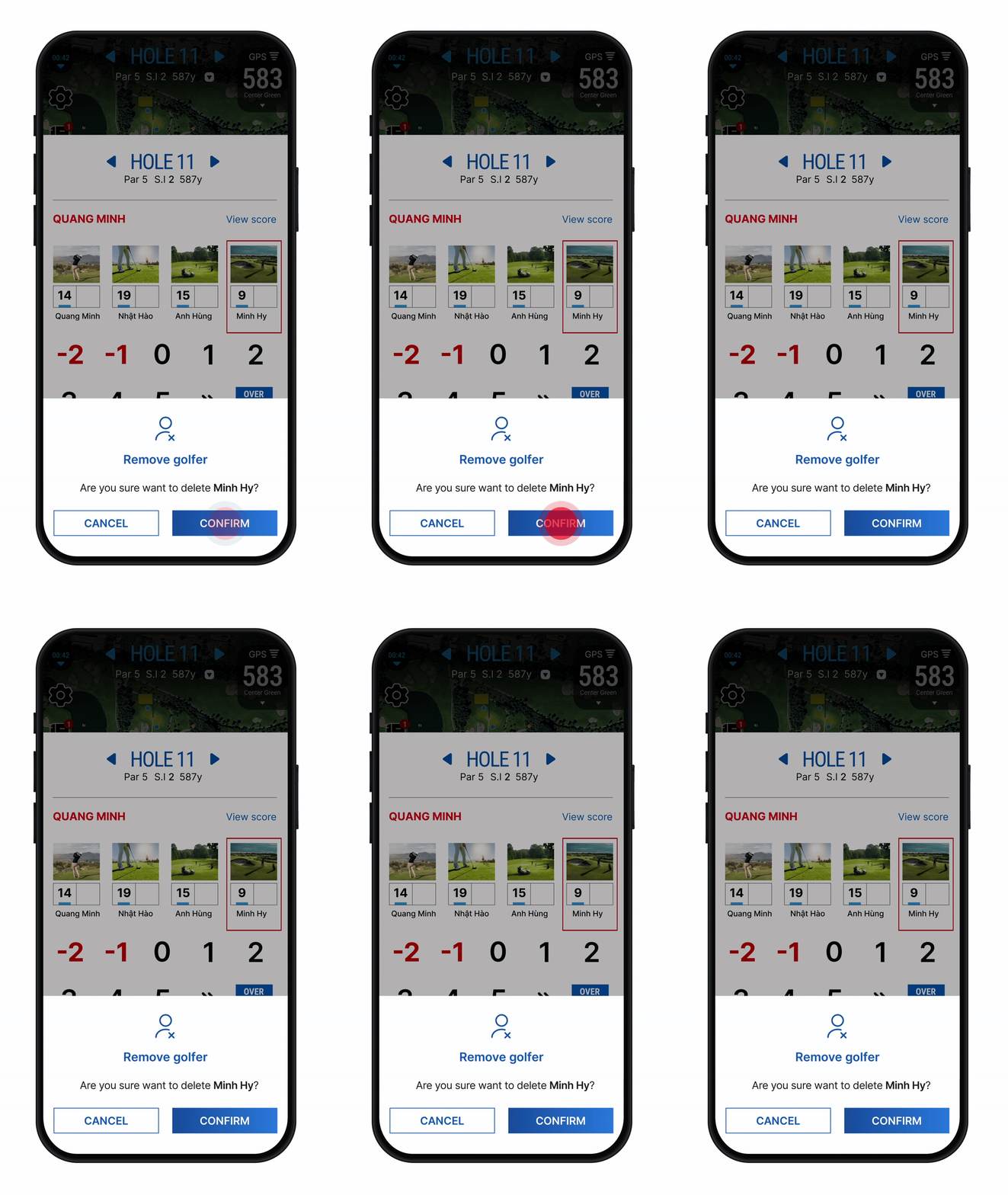
Tap “
Confirm
".
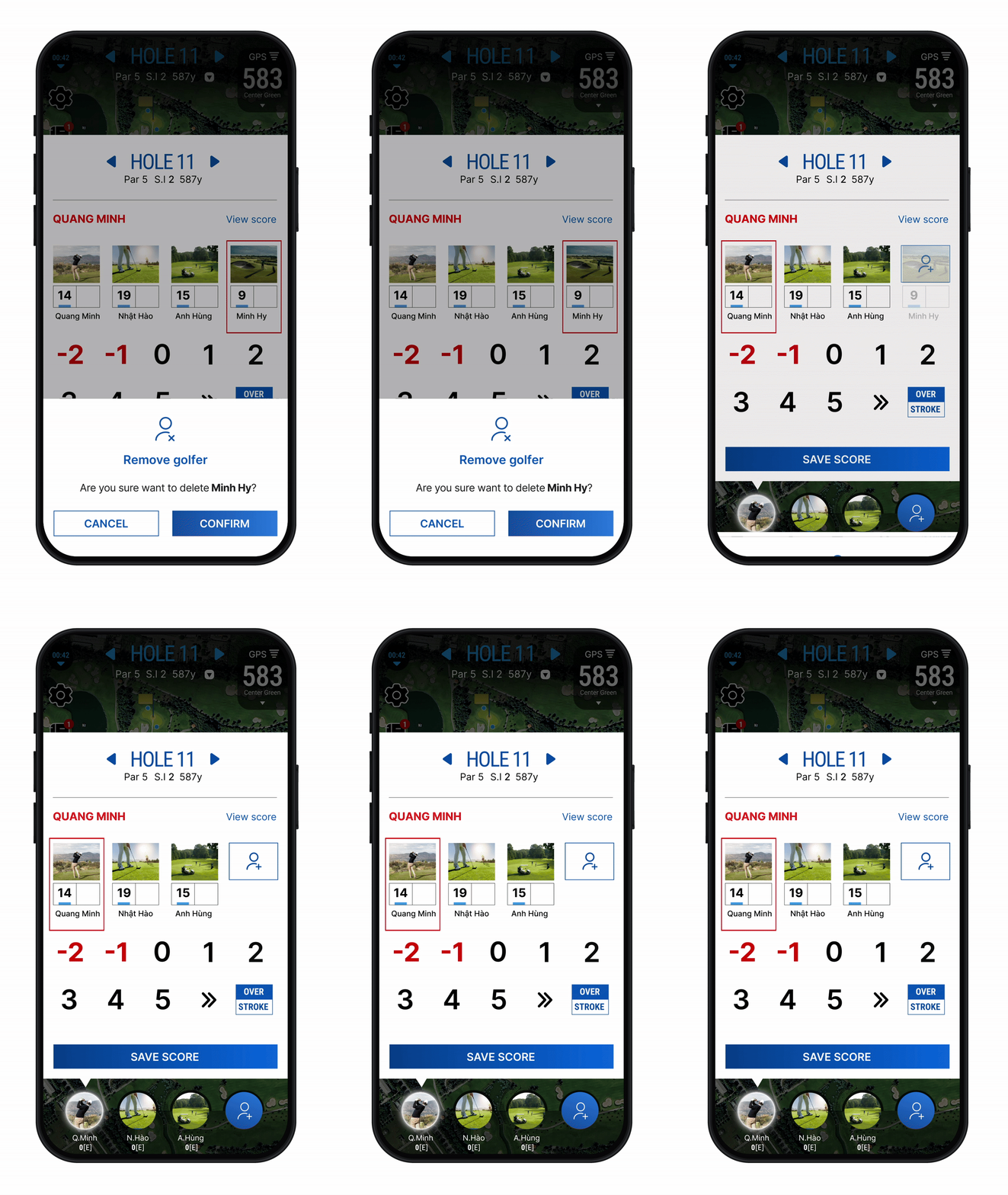
You have successfully removed the player from the group.
To add a player during a GPS round, see the guide
here
. To add a guest player, see the instructions
here
.
원하시는 답변을 찾지 못하셨나요?
저희가 도와드리겠습니다
.
이 게시글
공유하기:
카테고리
Golf GPS
Community
Account
Apple Watch
WHS
Others